Reviewed and updated for the 2026-27 session · Written by Prateek Talwar, Unnati Education NIOS desk · Covers NIOS Class 10 and Class 12 practical file front page format · Always confirm your subject's requirement on nios.ac.in.
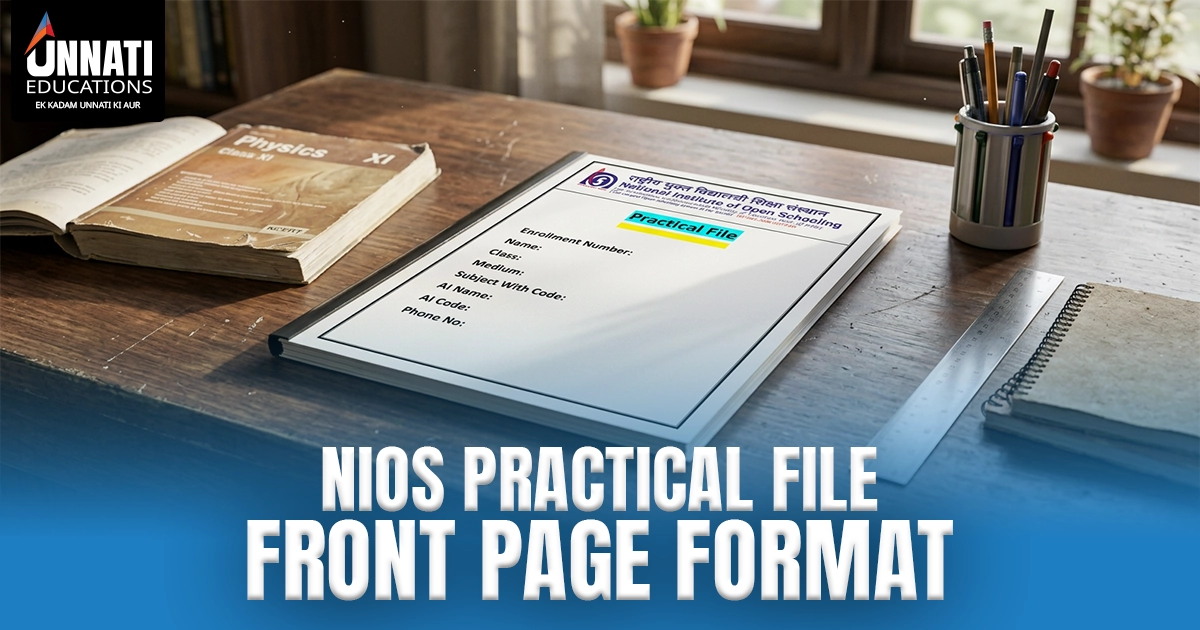
The NIOS practical file front page format is the cover sheet placed at the front of your handwritten practical file. It carries your enrolment number, name, class and medium, subject with code, AI name and code, phone number and academic year, and it is submitted with the file at your study centre.
What Is the NIOS Practical File Front Page Format
The NIOS practical file front page is the cover sheet you attach to the front of your handwritten practical record before the practical examination. NIOS stands for the National Institute of Open Schooling, and this single page tells the examiner who you are, which subject the file belongs to and which study centre you are registered with.
The file, with this cover, is submitted at your Accredited Institution during the practical exam [VERIFY submission step against nios.ac.in]. When the cover is incomplete or carries a wrong detail, an Accredited Institution can return the file for correction — time you rarely have close to the exam.
This page is only about the cover. To build the full record, see our guide to the complete nios practical file.
NIOS Practical File Front Page Format and Required Details
Here is the standard set of fields most NIOS covers carry. Treat this as the commonly expected layout rather than a single official NIOS-issued template, and check your subject's lab manual or your study-centre instructions for anything specific .
| Field | What to Write |
|---|---|
| Enrolment Number | Your NIOS enrolment number exactly as registered |
| Name | Your full name as it appears in your NIOS records |
| Class and Medium | Class 10 or Class 12 and your medium (English, Hindi or regional) |
| Subject with Code | Subject title and its NIOS subject code |
| AI Name and AI Code | Your Accredited Institution (study centre) name and its code |
| Phone Number | Your active contact number |
| Academic Year | The current session |
Enrolment Number
This is your unique NIOS enrolment number. Copy it straight from your admission record or identity card. A missing or mistyped enrolment number is a leading reason a cover is sent back, because the centre cannot match the file to your registration.
Name, Class and Medium
Write your full name exactly as registered with NIOS, then your class — Class 10 for Secondary or Class 12 for Senior Secondary — and your medium of study. Small spelling differences from your records cause confusion at verification, so match them.
Subject With Code
Write the subject title with its NIOS subject code, such as the code printed on your study material. Codes differ by subject and are easy to mix up, so confirm yours before you write it.
AI Name and AI Code
On a NIOS cover, AI means Accredited Institution — your study centre. It does not mean artificial intelligence. Write your centre's name and its AI code as shown in your enrolment details. Most NIOS students get tripped up here, so check the code against your paperwork.
Phone Number
Use an active number where the centre can reach you, in case there is a query about your file or your practical schedule.
Academic Year
Write the current session, not an old one. A sample cover may still show a past year such as 2023-2024, so change it to your own session.
Layout do's and don'ts: keep a neat border, place the NIOS logo sensibly at the top and keep your handwriting or font clearly readable. Avoid clutter and decorative colour. A clean, plain cover reads better and is less likely to be questioned.
How to Fill the NIOS Practical File Cover Correctly
Work top to bottom and check as you go.
- Write your NIOS enrolment number first, copied exactly from your records.
- Add your full name, then your class and medium.
- Write the subject title with its correct NIOS subject code.
- Fill in your AI name and AI code — your Accredited Institution and its code.
- Add your active phone number.
- Write the current academic year or session.
- Check every field for spelling and accuracy, then attach the cover to the front of the file before submitting at your study centre.
Common Mistakes That Get a Practical File Returned
Having checked plenty of these covers, the same handful of slips come up again and again. Here's where files get returned.
The most frequent is a wrong or missing enrolment number — the centre cannot tie the file to your record, so it goes back. Next is a wrong AI code, where students write a code that belongs to a different centre or guess it, and it doesn't match their registration. An outdated session is another, because a cover left at last year's academic year reads as a recycled file. We also see missing subject codes, and a name that doesn't match the NIOS record or is hard to read. In practice, fixing these five before you submit prevents almost every return.
NIOS Practical File Front Page Download
For a quicker start, Unnati Education NIOS offers a no-cost editable cover sheet for both Class 10 and Class 12. You fill in your own enrolment number, name, subject and AI details, then print it and attach it to your file.
Treat the cover as a template only. The practical file content must be your own work — the sheet simply gives you the correct front-page layout. Message us on WhatsApp to request the no-cost editable cover.
NIOS Class 10 Practical File Front Page
For NIOS Secondary, the cover uses the same fields, with your class written as Class 10 and your Secondary subject and code. Practical subjects and their codes vary, so confirm yours against the current NIOS scheme of studies. For the full subject-wise records, see our nios class 10 practical file page, where the depth lives.
NIOS Class 12 Practical File Front Page
For NIOS Senior Secondary, the format is identical, with the class written as Class 12 and the relevant subject code. Senior Secondary practicals often carry a viva voce component, so keep your details accurate for verification. The complete subject-wise set sits on our nios class 12 practical file page.
| Detail | Class 10 (Secondary) | Class 12 (Senior Secondary) |
|---|---|---|
| Cover fields | Same standard set | Same standard set |
| Class written as | Class 10 | Class 12 |
| Medium options | English, Hindi or regional | English, Hindi or regional |
| Subject code style | Three-digit subject codes | Three-digit subject codes |
| Viva depth | Subject-dependent | Often includes viva voce |
Get a Ready NIOS Practical File
If you would rather not rebuild the whole file by hand close to the exam, a complete ready practical file for your subject saves the time. Ready Class 10 and Class 12 files are available on contact. Message Unnati Education NIOS on WhatsApp with your class and subject and we will guide you.
Frequently Asked Questions
What is the NIOS practical file front page?
It is the cover sheet at the front of your handwritten practical file. It identifies you, your subject and your study centre before submission.
What details does the front page carry?
Your enrolment number, name, class and medium, subject with code, AI name and code, phone number and academic year.
What do AI Name and AI Code mean on a NIOS cover?
AI means Accredited Institution — your NIOS study centre — not artificial intelligence. Write your centre's name and its code.
Do Class 10 and Class 12 use the same front page format?
Yes. Both use the same fields and only the class and the subject code change.
Can I download the NIOS practical file front page?
Yes. A no-cost editable cover is available for Class 10 and Class 12, and you can use the nios practical file front page download as a template while keeping the file content your own.
Which academic year should I write?
Write the current session, not a past one. Update any sample that shows an old year.
Unnati Education NIOS is an independent academic support platform and is not affiliated with, endorsed by or an official body of the National Institute of Open Schooling (NIOS). Always confirm current rules, subject lists and the current session on the official NIOS website. Material is shared for educational and revision purposes only.
Author: Prateek Talwar, NIOS Desk · Reviewed and updated for the 2026-27 session .