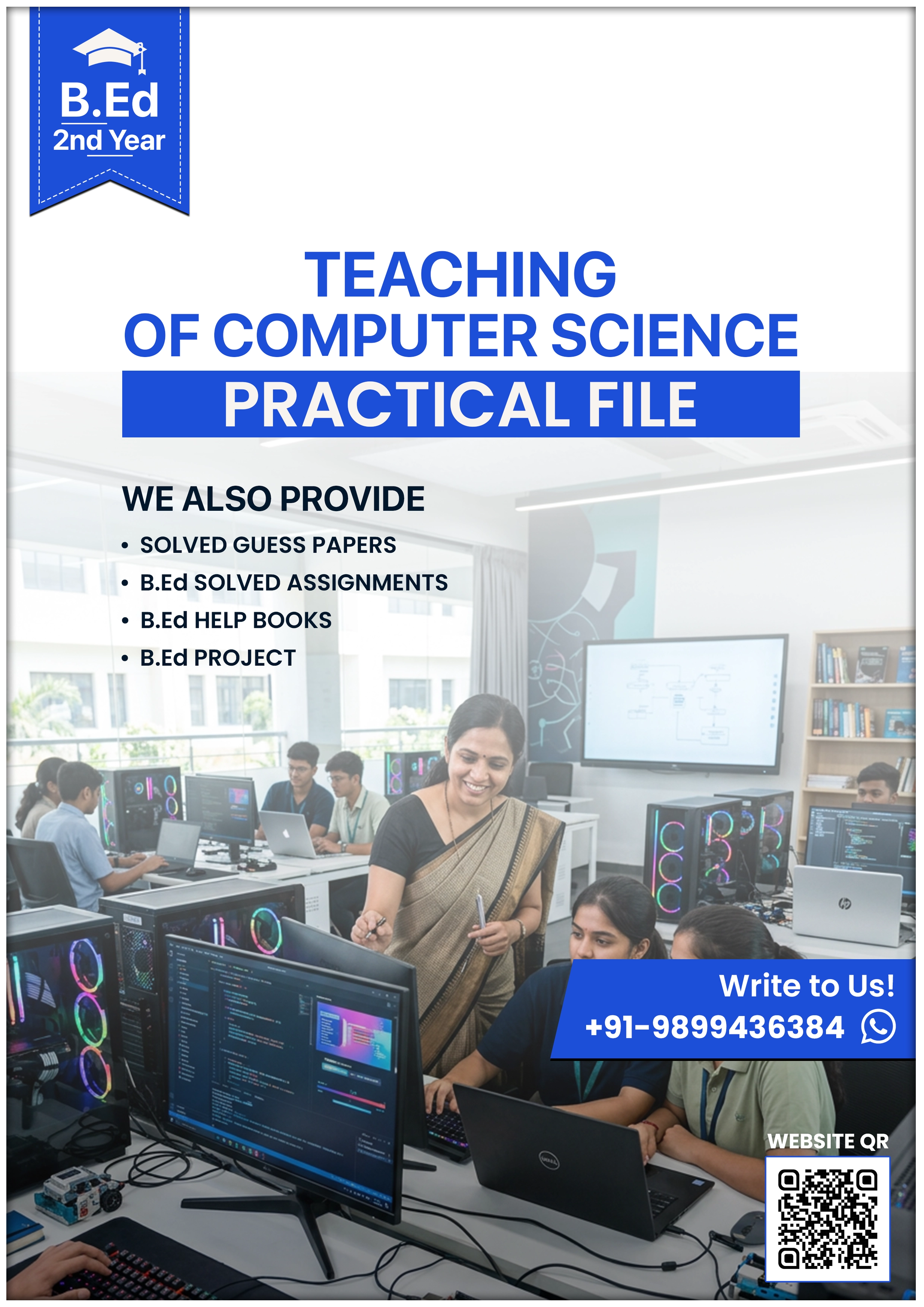
Teaching of Computer Science for B.Ed Practical File
What's Included
Full content delivered instantly
Clean layout, well-structured
Organized for easy revision
Download link delivered immediately
Read anywhere, any device
Course Overview
Key Highlights
- Teaching of Computer Science for B.Ed Practical File includes lesson plans, micro teaching, school practice, and report pages.
- Longest file format in this series with 170 pages of structured teaching-practice content.
- Includes 20 school teaching lessons plus micro, mega, discussion, observation, and school report sections.
- Useful for MDU, CRSU, KUK, and IGNOU teaching-practice submissions.
- Covers computer topics like CPU, hardware, software, internet, virus, memory, and MS Excel.
- Ready-to-submit support is available after contact, based on your required pattern.
What is Teaching of Computer Science for B.Ed Practical File?
A B.Ed teaching file is a structured practice-teaching record prepared during internship and school teaching work.
The Teaching of Computer Science for B.Ed Practical File is used when Computer Science is selected as one of the two teaching subjects in B.Ed 2nd year. It records your training from micro teaching to full school teaching in a formal academic sequence.
This file is not just a bundle of notes. It includes certificate page, attendance charts, timetable, section divider, micro teaching records, mega lessons, school teaching practice, discussion lessons, observation pages, and school report. That makes it useful for checking, presentation, and submission.
Why Micro Teaching Uses Observation Tables
Micro teaching is meant to sharpen one teaching skill at a time. That is why observation tables matter. They help the supervisor and the pupil-teacher focus on one visible part of teaching instead of giving general remarks.
In Computer Science, this becomes even more important. A student may understand a topic like operating system, MS Word, CPU, or internet services, but teaching that topic clearly is a different skill. The observation table shows whether the explanation was clear, whether examples were useful, whether questioning flowed properly, and whether interaction stayed active.
This file uses a special micro-teaching format. The pages are built around Components | Teacher’s Activity | Pupil’s Activity. That structure is practical because Computer Science teaching often depends on explanation, demonstration, and student response together. It also includes an observation schedule with score columns, so the supervisor can record performance directly on the page.
Most student teachers improve faster when feedback is tied to a specific teaching skill. CRSU’s published B.Ed syllabus supports this skill-based approach through micro lessons built around questioning, explanation, illustration, and stimulus variation.
Micro Teaching vs Mega Teaching vs School Teaching
These three stages may look similar in a file, but they do different jobs.
Micro teaching is the starting stage. It is short and skill-focused. You practice one teaching ability at a time, such as explaining, redirection, use of examples, or fluency in questioning.
Mega teaching comes next. Here the lesson becomes fuller. You combine previous knowledge, topic announcement, presentation, recapitulation, and homework in one structured class.
School teaching is the real classroom stage. This is where you teach actual students during internship.
That sequence matters because a good B.Ed file should show growth, not just pages. In this Computer Science file, the training moves from five micro lessons to mega lessons, then discussion work, then twenty school teaching lessons, then observation and school report. That progression makes the file stronger during internship review and school checking.
What Is Recapitulation in Lesson Planning?
Recapitulation is the short checking stage near the end of a lesson. It tells the teacher whether the students really understood the topic or only listened passively.
In Computer Science, this step is especially useful. A class may follow a lesson on CPU, memory, generations of computers, or types of software during explanation, but the teacher still needs quick checking questions. A few short oral questions reveal whether students understood the concept, difference, or function.
This is a form of formative evaluation. It is not just a formal heading in the lesson plan. It helps the teacher decide whether to move on, slow down, or explain again. That is why our Computer Science lesson plans include recapitulation in the right place. It gives the file real classroom value and not just notebook appearance.
Complete File Structure
This file follows a commercially printed B.Ed stationery notebook format with handwritten entries. It is tied to L.T. Mahipat Singh College of Education, Bahadurgarh, an NCTE-approved college affiliated with MDU Rohtak, according to the file details you provided. MDU’s official site identifies it as a state university, and NCTE remains the statutory national regulator for teacher education.
The file has seven major sections:
- Micro Teaching Lessons
- Mega / Simulated Teaching Lessons
- Discussion Lesson – I
- School Teaching Practice Lessons
- Discussion Lesson – II
- Observation Lessons
- School Report
It also includes front matter such as cover page, certificate page, attendance charts, timetable, index pages, and a printed section divider for micro teaching. The 3-column teaching table used in most Computer Science lessons makes this file structurally different from many other B.Ed subject files.
Complete Table of Contents
- College + Publisher Cover
- Certificate Page
- Attendance Charts
- Time-Table
- Index
- Micro Teaching Lessons
- Mega / Simulated Teaching Lessons
- Discussion Lesson – I
- School Teaching Practice Lessons
- Discussion Lesson – II
- Observation Lessons
- School Report
Main Computer Science topics covered in the file:
- Computer: Definition and Meaning
- Types of Computer
- Data and Information
- Data Processing
- CPU
- Input Devices
- Output Devices
- Memory Types
- Computer Hardware and Software
- History and Evolution of Computers
- Generations of Computers
- Classification of Computers
- Applications of Computers
- Operating System and Application Software
- Internet and Services
- Computer Virus
- MS Excel
- MS Word
- Computer Networks
- WWW / HTTP / HTML
Computer Science Lesson Plans Included
Yes, we also provide lesson plan of Computer Science for B.Ed in this file.
These lesson plans are useful during internship, principal checking, school review, and viva. A clean Computer Science lesson plan shows that the pupil-teacher is organised, technically clear, and ready to teach with confidence.
Lesson plan format included:
- Lesson Plan No.
- Date
- Duration
- PT Roll No.
- Name
- Class
- Average Age of the Pupils
- Subject
- Topic
- Session
- Previous Knowledge
- Previous Knowledge Testing
- Announcement of Topic
- Presentation Table
- Recapitulation
- Homework
Teaching of Computer Science for B.Ed Practical File Sample
The sample pages help you understand the actual look of the file before ordering.
You can check the printed notebook layout, handwritten entries, and the unique 3-column lesson table used in Computer Science teaching practice.
Previewing the sample first helps you judge the structure, neatness, and suitability for your internship requirement.
Who Should Use This Teaching of Computer Science B.Ed Practical File
This file is best for B.Ed 2nd year students who selected Computer Science as one of their two teaching subjects.
It is also useful for students who want a proper file for internship, school checking, and ready submission support.
- Students preparing Computer Science teaching-practice files for B.Ed 2nd year
- MDU Rohtak students needing a formal teaching-file structure
- CRSU, KUK, and IGNOU students needing Computer Science file support
- Students who want lesson plans plus full teaching-practice sequence
- Anyone preparing for school internship, viva, or principal-level file checking
Why This File Is Different From Free PDFs
Free lesson plan PDFs usually give short topic pages or rough samples. They rarely show the full teaching journey. Most of them do not include attendance charts, certificate page, discussion lessons, observation records, and school report in one proper sequence.
This file is different because it reflects a real internship format. You get micro teaching, mega lessons, school teaching practice, discussion lessons, observation work, and final report in one connected structure. The Computer Science file is also more technical than many free samples because it includes hardware, software, internet, memory, CPU, virus, and Excel-based lesson coverage.
The second difference is presentation value. Random PDFs may help for rough reference, but they often do not look ready for formal review. Our file is better suited for students who want a cleaner format and support for a ready-to-submit version according to their own requirement.
Student Reviews
⭐⭐⭐⭐ Rohit Malik — MDU Rohtak
“This file helped me prepare the CPU and input devices lesson during internship. The 3-column format made the sequence easier to follow in class.”
⭐⭐⭐⭐ Neha Dahiya — CRSU Jind
“I was confused about how to write Data and Information in lesson-plan form. This file made the questioning and recapitulation part much clearer.”
⭐⭐⭐⭐⭐ Aman Kumar — KUK Kurukshetra
“The micro teaching section was the strongest part for me. I finally understood how to show explanation skill and stimulus variation in a Computer Science file.”
⭐⭐⭐⭐ Pooja Sharma — IGNOU
“I needed proper help with Internet services and computer virus topics. The lesson layout saved time and looked more serious than free PDFs.”
⭐⭐⭐⭐ Karan Verma — B.Ed College, Rohtak
“The attendance charts, certificate page, and school report made this look complete. It felt like a real teaching-practice file, not a few copied pages.”
⭐⭐⭐⭐⭐ Ritika Saini — MDU-affiliated College
“I used the MS Excel and hardware-software lessons before my school checking. The file looked organised enough to show confidently during principal review.”
How to Download
Estimated Time: 3–5 minutes
Requirements: Phone or laptop, payment method, and contact access if you want a customised ready-to-submit version
- Choose soft copy PDF or hard copy option.
- Complete the payment process.
- Receive your file access or order confirmation.
- Download the PDF instantly or confirm hard copy support.
- Contact us if you want the file adjusted according to your submission pattern.
Soft copy access is fast.
Ready-to-submit support is available after contact.
Frequently Asked Questions
Does this Computer Science file include lesson plans or only format pages?
Yes, this file includes full Computer Science lesson plans, not just front pages or blank formats. It covers topics such as CPU, input devices, output devices, memory, internet, computer virus, MS Excel, hardware, and software. You also get micro teaching, mega lessons, discussion sections, observation work, and school report, so the file works as a complete teaching-practice record.
What is the difference between soft copy and hard copy for this Computer Science teaching file?
The soft copy is a PDF that you can access immediately on your phone or laptop. The hard copy is useful when you want a physical file for checking, presentation, or ready submission support. Many students first review the PDF and then choose hard copy when they need a more formal version for school or college use.
Is this file suitable for the 2025–26 and 2026 session?
Yes, this file is suitable for the 2025–26 and 2026 B.Ed session because the teaching-practice structure remains consistent across these cycles. The sequence of micro teaching, mega lessons, school teaching practice, discussion work, observation lessons, and school report matches the kind of internship pattern reflected in MDU and CRSU B.Ed teaching structures.
Can I get a ready-to-submit Computer Science file from Unnati Education?
Yes, we can support you with a ready-to-submit Computer Science file according to your requirement. The exact presentation may differ from one college or school to another, so the best option is to contact us with your expected format. We will guide you with the version that fits your internship, file checking, or submission need more closely.
Is this file useful for MDU Rohtak students specifically?
Yes, this file is especially useful for MDU Rohtak students because it follows the formal teaching-practice notebook style commonly seen in MDU-affiliated B.Ed colleges. The certificate page, attendance charts, school teaching lessons, observation section, and report pages fit the kind of structure many MDU students are expected to maintain.
About Unnati Education
Unnati Education helps B.Ed students who need practical academic support without wasting time on scattered material.
Our strongest focus is on MDU-pattern teaching files, lesson plans, assignments, and internship support.
We know what most students need.
They want the right file, in the right format, before the deadline.
Final CTA
If Computer Science is one of your two teaching subjects in B.Ed 2nd year, this file can save you a lot of time and confusion.
You get structured lesson plans, teaching-practice sections, observation pages, and support for a ready-to-submit version.
Choose the PDF, choose the hard copy, or contact us for the format that suits your requirement.
Regular Price: ₹1000
2026 Session Offer: ₹800
For a ready-to-submit Computer Science teaching file according to your requirement, contact Unnati Education today.
Explore More Study Material
You may also need related B.Ed resources while preparing internship files and exams.
- MDU B.Ed Previous Year Papers
- MDU B.Ed Guess Papers
- MDU B.Ed Notes
- B.Ed Lesson Plan Files
- B.Ed Assignment Files
Explore the full Unnati Education collection and prepare your practical work and written exams together.
What's Included
Course Overview
Key Highlights
- Teaching of Computer Science for B.Ed Practical File includes lesson plans, micro teaching, school practice, and report pages.
- Longest file format in this series with 170 pages of structured teaching-practice content.
- Includes 20 school teaching lessons plus micro, mega, discussion, observation, and school report sections.
- Useful for MDU, CRSU, KUK, and IGNOU teaching-practice submissions.
- Covers computer topics like CPU, hardware, software, internet, virus, memory, and MS Excel.
- Ready-to-submit support is available after contact, based on your required pattern.
What is Teaching of Computer Science for B.Ed Practical File?
A B.Ed teaching file is a structured practice-teaching record prepared during internship and school teaching work.
The Teaching of Computer Science for B.Ed Practical File is used when Computer Science is selected as one of the two teaching subjects in B.Ed 2nd year. It records your training from micro teaching to full school teaching in a formal academic sequence.
This file is not just a bundle of notes. It includes certificate page, attendance charts, timetable, section divider, micro teaching records, mega lessons, school teaching practice, discussion lessons, observation pages, and school report. That makes it useful for checking, presentation, and submission.
Why Micro Teaching Uses Observation Tables
Micro teaching is meant to sharpen one teaching skill at a time. That is why observation tables matter. They help the supervisor and the pupil-teacher focus on one visible part of teaching instead of giving general remarks.
In Computer Science, this becomes even more important. A student may understand a topic like operating system, MS Word, CPU, or internet services, but teaching that topic clearly is a different skill. The observation table shows whether the explanation was clear, whether examples were useful, whether questioning flowed properly, and whether interaction stayed active.
This file uses a special micro-teaching format. The pages are built around Components | Teacher’s Activity | Pupil’s Activity. That structure is practical because Computer Science teaching often depends on explanation, demonstration, and student response together. It also includes an observation schedule with score columns, so the supervisor can record performance directly on the page.
Most student teachers improve faster when feedback is tied to a specific teaching skill. CRSU’s published B.Ed syllabus supports this skill-based approach through micro lessons built around questioning, explanation, illustration, and stimulus variation.
Micro Teaching vs Mega Teaching vs School Teaching
These three stages may look similar in a file, but they do different jobs.
Micro teaching is the starting stage. It is short and skill-focused. You practice one teaching ability at a time, such as explaining, redirection, use of examples, or fluency in questioning.
Mega teaching comes next. Here the lesson becomes fuller. You combine previous knowledge, topic announcement, presentation, recapitulation, and homework in one structured class.
School teaching is the real classroom stage. This is where you teach actual students during internship.
That sequence matters because a good B.Ed file should show growth, not just pages. In this Computer Science file, the training moves from five micro lessons to mega lessons, then discussion work, then twenty school teaching lessons, then observation and school report. That progression makes the file stronger during internship review and school checking.
What Is Recapitulation in Lesson Planning?
Recapitulation is the short checking stage near the end of a lesson. It tells the teacher whether the students really understood the topic or only listened passively.
In Computer Science, this step is especially useful. A class may follow a lesson on CPU, memory, generations of computers, or types of software during explanation, but the teacher still needs quick checking questions. A few short oral questions reveal whether students understood the concept, difference, or function.
This is a form of formative evaluation. It is not just a formal heading in the lesson plan. It helps the teacher decide whether to move on, slow down, or explain again. That is why our Computer Science lesson plans include recapitulation in the right place. It gives the file real classroom value and not just notebook appearance.
Complete File Structure
This file follows a commercially printed B.Ed stationery notebook format with handwritten entries. It is tied to L.T. Mahipat Singh College of Education, Bahadurgarh, an NCTE-approved college affiliated with MDU Rohtak, according to the file details you provided. MDU’s official site identifies it as a state university, and NCTE remains the statutory national regulator for teacher education.
The file has seven major sections:
- Micro Teaching Lessons
- Mega / Simulated Teaching Lessons
- Discussion Lesson – I
- School Teaching Practice Lessons
- Discussion Lesson – II
- Observation Lessons
- School Report
It also includes front matter such as cover page, certificate page, attendance charts, timetable, index pages, and a printed section divider for micro teaching. The 3-column teaching table used in most Computer Science lessons makes this file structurally different from many other B.Ed subject files.
Complete Table of Contents
- College + Publisher Cover
- Certificate Page
- Attendance Charts
- Time-Table
- Index
- Micro Teaching Lessons
- Mega / Simulated Teaching Lessons
- Discussion Lesson – I
- School Teaching Practice Lessons
- Discussion Lesson – II
- Observation Lessons
- School Report
Main Computer Science topics covered in the file:
- Computer: Definition and Meaning
- Types of Computer
- Data and Information
- Data Processing
- CPU
- Input Devices
- Output Devices
- Memory Types
- Computer Hardware and Software
- History and Evolution of Computers
- Generations of Computers
- Classification of Computers
- Applications of Computers
- Operating System and Application Software
- Internet and Services
- Computer Virus
- MS Excel
- MS Word
- Computer Networks
- WWW / HTTP / HTML
Computer Science Lesson Plans Included
Yes, we also provide lesson plan of Computer Science for B.Ed in this file.
These lesson plans are useful during internship, principal checking, school review, and viva. A clean Computer Science lesson plan shows that the pupil-teacher is organised, technically clear, and ready to teach with confidence.
Lesson plan format included:
- Lesson Plan No.
- Date
- Duration
- PT Roll No.
- Name
- Class
- Average Age of the Pupils
- Subject
- Topic
- Session
- Previous Knowledge
- Previous Knowledge Testing
- Announcement of Topic
- Presentation Table
- Recapitulation
- Homework
Teaching of Computer Science for B.Ed Practical File Sample
The sample pages help you understand the actual look of the file before ordering.
You can check the printed notebook layout, handwritten entries, and the unique 3-column lesson table used in Computer Science teaching practice.
Previewing the sample first helps you judge the structure, neatness, and suitability for your internship requirement.
Who Should Use This Teaching of Computer Science B.Ed Practical File
This file is best for B.Ed 2nd year students who selected Computer Science as one of their two teaching subjects.
It is also useful for students who want a proper file for internship, school checking, and ready submission support.
- Students preparing Computer Science teaching-practice files for B.Ed 2nd year
- MDU Rohtak students needing a formal teaching-file structure
- CRSU, KUK, and IGNOU students needing Computer Science file support
- Students who want lesson plans plus full teaching-practice sequence
- Anyone preparing for school internship, viva, or principal-level file checking
Why This File Is Different From Free PDFs
Free lesson plan PDFs usually give short topic pages or rough samples. They rarely show the full teaching journey. Most of them do not include attendance charts, certificate page, discussion lessons, observation records, and school report in one proper sequence.
This file is different because it reflects a real internship format. You get micro teaching, mega lessons, school teaching practice, discussion lessons, observation work, and final report in one connected structure. The Computer Science file is also more technical than many free samples because it includes hardware, software, internet, memory, CPU, virus, and Excel-based lesson coverage.
The second difference is presentation value. Random PDFs may help for rough reference, but they often do not look ready for formal review. Our file is better suited for students who want a cleaner format and support for a ready-to-submit version according to their own requirement.
Student Reviews
⭐⭐⭐⭐ Rohit Malik — MDU Rohtak
“This file helped me prepare the CPU and input devices lesson during internship. The 3-column format made the sequence easier to follow in class.”
⭐⭐⭐⭐ Neha Dahiya — CRSU Jind
“I was confused about how to write Data and Information in lesson-plan form. This file made the questioning and recapitulation part much clearer.”
⭐⭐⭐⭐⭐ Aman Kumar — KUK Kurukshetra
“The micro teaching section was the strongest part for me. I finally understood how to show explanation skill and stimulus variation in a Computer Science file.”
⭐⭐⭐⭐ Pooja Sharma — IGNOU
“I needed proper help with Internet services and computer virus topics. The lesson layout saved time and looked more serious than free PDFs.”
⭐⭐⭐⭐ Karan Verma — B.Ed College, Rohtak
“The attendance charts, certificate page, and school report made this look complete. It felt like a real teaching-practice file, not a few copied pages.”
⭐⭐⭐⭐⭐ Ritika Saini — MDU-affiliated College
“I used the MS Excel and hardware-software lessons before my school checking. The file looked organised enough to show confidently during principal review.”
How to Download
Estimated Time: 3–5 minutes
Requirements: Phone or laptop, payment method, and contact access if you want a customised ready-to-submit version
- Choose soft copy PDF or hard copy option.
- Complete the payment process.
- Receive your file access or order confirmation.
- Download the PDF instantly or confirm hard copy support.
- Contact us if you want the file adjusted according to your submission pattern.
Soft copy access is fast.
Ready-to-submit support is available after contact.
Frequently Asked Questions
Does this Computer Science file include lesson plans or only format pages?
Yes, this file includes full Computer Science lesson plans, not just front pages or blank formats. It covers topics such as CPU, input devices, output devices, memory, internet, computer virus, MS Excel, hardware, and software. You also get micro teaching, mega lessons, discussion sections, observation work, and school report, so the file works as a complete teaching-practice record.
What is the difference between soft copy and hard copy for this Computer Science teaching file?
The soft copy is a PDF that you can access immediately on your phone or laptop. The hard copy is useful when you want a physical file for checking, presentation, or ready submission support. Many students first review the PDF and then choose hard copy when they need a more formal version for school or college use.
Is this file suitable for the 2025–26 and 2026 session?
Yes, this file is suitable for the 2025–26 and 2026 B.Ed session because the teaching-practice structure remains consistent across these cycles. The sequence of micro teaching, mega lessons, school teaching practice, discussion work, observation lessons, and school report matches the kind of internship pattern reflected in MDU and CRSU B.Ed teaching structures.
Can I get a ready-to-submit Computer Science file from Unnati Education?
Yes, we can support you with a ready-to-submit Computer Science file according to your requirement. The exact presentation may differ from one college or school to another, so the best option is to contact us with your expected format. We will guide you with the version that fits your internship, file checking, or submission need more closely.
Is this file useful for MDU Rohtak students specifically?
Yes, this file is especially useful for MDU Rohtak students because it follows the formal teaching-practice notebook style commonly seen in MDU-affiliated B.Ed colleges. The certificate page, attendance charts, school teaching lessons, observation section, and report pages fit the kind of structure many MDU students are expected to maintain.
About Unnati Education
Unnati Education helps B.Ed students who need practical academic support without wasting time on scattered material.
Our strongest focus is on MDU-pattern teaching files, lesson plans, assignments, and internship support.
We know what most students need.
They want the right file, in the right format, before the deadline.
Final CTA
If Computer Science is one of your two teaching subjects in B.Ed 2nd year, this file can save you a lot of time and confusion.
You get structured lesson plans, teaching-practice sections, observation pages, and support for a ready-to-submit version.
Choose the PDF, choose the hard copy, or contact us for the format that suits your requirement.
Regular Price: ₹1000
2026 Session Offer: ₹800
For a ready-to-submit Computer Science teaching file according to your requirement, contact Unnati Education today.
Explore More Study Material
You may also need related B.Ed resources while preparing internship files and exams.
- MDU B.Ed Previous Year Papers
- MDU B.Ed Guess Papers
- MDU B.Ed Notes
- B.Ed Lesson Plan Files
- B.Ed Assignment Files
Explore the full Unnati Education collection and prepare your practical work and written exams together.