Last updated 26 May 2026 · Written for the Unnati Education B.Ed desk and reviewed by Sheetal Kirola M.Ed B.Ed Faculty · Covers B.Ed 3rd semester (CBCS) practical file format subjects and front page · Always confirm your university's exact file list before submitting.
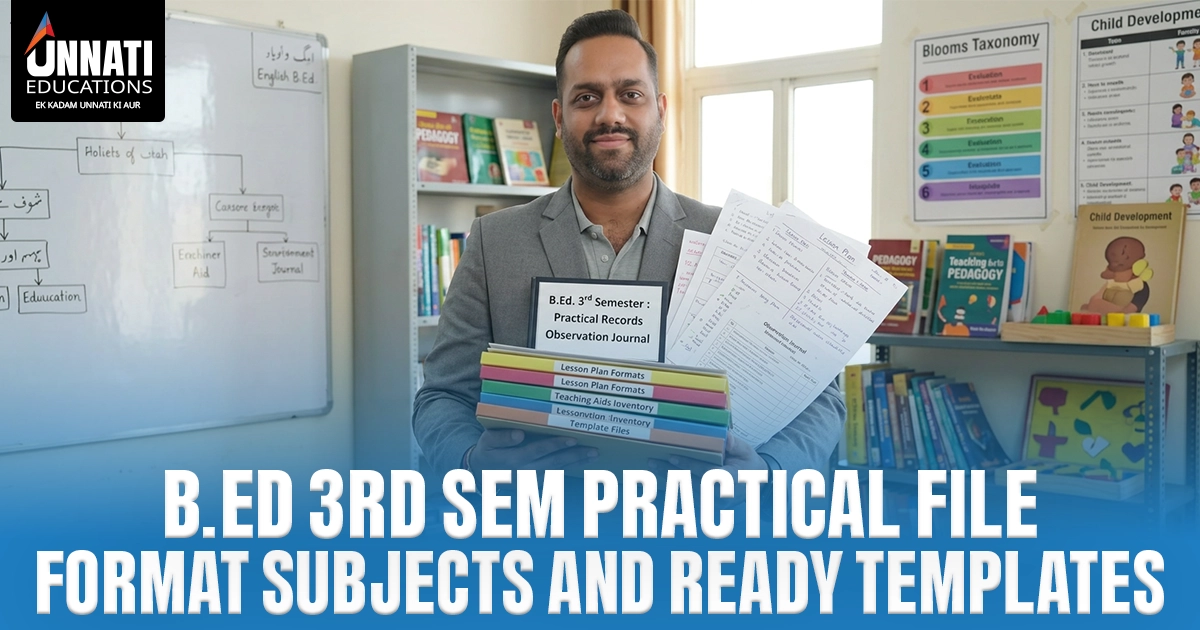
A B.Ed 3rd Sem practical file is the set of handwritten record files a Bachelor of Education student submits in the third semester, covering school internship, lesson plans for the two teaching subjects, an achievement test file, observation records, a teaching learning material file and community work, each with a proper front page and a signature.
B.Ed 3rd Sem practical file work is what most B.Ed students worry about in the days before submission. This guide explains what the third-semester file contains, the standard front page, how it changes by university and how to format it, with ready-to-fill templates further down. This page serves semester-scheme (CBCS) universities; annual-scheme students such as those at MDU Rohtak should use the b.ed 2nd year practical files page instead.
On this page:
What Is Included in a B.Ed 3rd Sem Practical File
A B.Ed 3rd Sem practical file is a compiled set of handwritten record files built during the third semester, documenting your school internship, lesson planning, student evaluation and community engagement. It is prepared over the internship period, signed by your supervising teacher and submitted to your department for internal assessment.
Because the B.Ed curriculum is set largely by each university, the exact file names vary. The files below are the ones commonly required.
Core components and practical activities in the 3rd-semester file
- School Internship File (Teaching Practice) — your record of observing and teaching in a school, including the school profile and a dated daily diary.
- Lesson Plan File (Pedagogy I and II) — detailed daily lesson plans for your two teaching subjects.
- Achievement Test / Evaluation File — a test you create and analyse, with a blueprint and your evaluation strategy.
- Observation File — notes from observing peer teachers or regular school teachers during the internship.
- Teaching Learning Material (TLM) File — details, charts and models of the aids you used to make lessons clearer.
- Community Work / Citizenship File — records of school-community engagement, assemblies and social initiatives.
How the file is structured, compiled and assessed
The common structure is the same across most files: a front page, an index, dated entries or a diary, the activity records themselves, and the required teacher or supervisor signatures. You build it gradually over the internship rather than in one sitting.
Each file is assessed internally, usually as a mix of the written file and a viva voce. The exact marks weight and the file-versus-viva split differ by university and by file, so do not assume a fixed number.
Practical File Subjects Covered in B.Ed 3rd Semester
Students search this two ways. First, the lesson-plan and pedagogy files attach to your two teaching subjects, drawn from the standard B.Ed subject grid: Teaching of English, Mathematics, Hindi, Home Science, Social Science, Commerce, Computer Science, Life Science, Physical Science and Economics. You prepare lesson-plan files only for the subjects you are assigned.
Second, the standalone components apply to nearly everyone: the School Internship File, Achievement Test / Evaluation File, Observation File, Teaching Learning Material File and Community Work File. Third-semester practical components differ widely, so treat every subject and file name here as a starting list and confirm your own set with your department before you begin.
B.Ed 3rd Sem Practical File Format and Front Page
A correctly formatted file looks consistent from cover to last page: a clear front page, a numbered index, dated entries and tidy margins. The front page is the part examiners check first, so it is worth getting right.
Compulsory front page details
- Student Name — your full name as it appears on university records.
- Enrolment Number — the number issued to you at admission.
- Roll Number — your current examination roll number.
- Programme — Bachelor of Education (B.Ed).
- Semester — the third semester (or 2nd Year for annual-scheme universities).
- Subject — the teaching subject that file covers.
- Session — your academic session, for example 2025-2026.
- Submitted To and Submitted By — the teacher or department, and your own name with a signature.
Present these as the standard accepted format, not a single official template. The field order and the title or declaration block vary by university.
Layout and formatting elements that stay constant
The university or college title block sits at the top, followed by a clear hierarchy of headings. Keep margins neat, ink consistent, every entry dated and pages numbered. In practice, decoration that hides the required fields does more harm than good, so keep the cover readable.
| Field | What to write | Common mistake |
|---|---|---|
| Student Name | Full name as on university records | Using a nickname or initials only |
| Enrolment Number | The number issued at admission | Confusing it with the roll number |
| Roll Number | Current examination roll number | Leaving it blank until submission day |
| Programme | Bachelor of Education (B.Ed) | Omitting the scheme or year context |
| Semester | Third Semester (or 2nd Year, annual scheme) | Writing "2nd Semester" for an annual-scheme file |
| Subject | The teaching subject of that file | A subject that does not match the file content |
| Session | Your session, e.g. 2025-2026 | Wrong or missing session years |
| Submitted To | The named teacher or department | A generic "concerned teacher" with no name |
| Submitted By | Your name with signature | Forgetting the signature |
University-Wise Variations
The standard front-page fields are broadly shared, but the cover and the required file list change from one university to the next. The table below shows what to check; confirm your own university against it before you print anything.
| Element | What varies | What to confirm |
|---|---|---|
| Logo and title block | University and college header differ | Your college's exact title block |
| Declaration text | Wording of the declaration or certificate page | Whether a declaration page is required |
| Field order | Order of name, enrolment, roll and subject | Your department's preferred order |
| Required file list | Some add a psychology or ICT file; others merge files | The exact files your scheme lists |
| Session format | 2025-26 versus 2025-2026 | The format your department accepts |
Likely relevant CBCS B.Ed universities include CRSU, Teerthanker Mahaveer University and Bhagwan Mahavir University. We list university-specific detail only where a verified reference exists, rather than guessing.
How to Make and Format the File Step by Step
Here is a method you can follow even with little time left. Work through it in order so nothing is missed at the binding stage.
- Confirm your university's exact 3rd-sem file list and titles before you start, so you are not redoing covers later.
- Prepare a correct front page for each file with the title block, your name, enrolment and roll number, subject and session.
- Add an index to each file and number every page.
- Fill each component in order — internship diary, lesson plans, achievement test, observations, TLM, community work — in your own handwriting.
- Draw and label diagrams, charts and blueprints neatly, and keep the blueprint matched to the actual test.
- Keep your ink and dating consistent, then collect the required teacher and supervisor signatures.
- Bind the file and check it against the university's required list before you submit.
Here's where students slip up: undated diary entries, a missing supervisor signature, and a test blueprint that does not match the questions. Examiners notice those first.
Ready-to-Fill Practical File Templates and Preview
If time is short, a ready-to-fill template removes the formatting guesswork. We offer a no-cost preview of the templates so you can see the front page and structure before you commit, and the complete solved b.ed practical files are available on contact.
Each template is set up for your university's format; you complete it in your own handwriting. The complete solved B.Ed 3rd-sem file is positioned as a correctly formatted model to copy by hand, not a shortcut around the work. To request the no-cost preview or place an order, message us on WhatsApp at 9355198199 or 9899436384.
For other parts of the programme, see the b.ed 4rth sem practical file page, the b.ed 2nd year practical files page for annual-scheme students, and the first and second semester files.
A quick note on use: the templates and solved files are reference and model material to guide your format, not for verbatim submission. Complete the work in your own handwriting and your own words.
Frequently Asked Questions
What is included in a B.Ed 3rd sem practical file
A B.Ed 3rd sem practical file usually includes a school internship file, lesson plan files for your two teaching subjects, an achievement test file, observation records, a teaching learning material file and a community work file. Exact titles vary by university, so confirm your own list before you start.
What subjects have practical files in the 3rd semester
The lesson-plan and pedagogy files apply to your two teaching subjects, such as Teaching of English, Mathematics, Hindi, Social Science, Commerce, Computer Science, Life Science or Physical Science. The internship, achievement test, observation, TLM and community work files are common to most students.
Is the practical file format the same for every university
No. The standard front-page fields and overall structure are broadly similar, but the logo, declaration text, field order and exact file list differ by university. Always check your own department's format before submitting.
Can I edit the ready-made templates
Yes. The ready-to-fill b.ed practical files templates are fillable and meant as a correctly formatted model; you complete them in your own handwriting and words. They guide the format and structure, not the content you submit.
Disclaimer and Review
Unnati Education B.Ed is an independent study-support provider and is not affiliated with, endorsed by or an official body of MDU, CRSU, Teerthanker Mahaveer University, Bhagwan Mahavir University or any university named on this page. Always confirm current file lists, formats and submission rules with your own university and department. Material is shared for educational and reference purposes only.
Reviewed by Sheetal Kirola, M.Ed., B.Ed Faculty — verified the file components, format and front-page fields against standard B.Ed practical-file practice and the team's experience helping B.Ed students.
For the complete solved B.Ed 3rd Sem practical file or the ready-to-fill template, contact us on WhatsApp at 9355198199 or 9899436384.